Sign in to your account
Use an email verification code to access your account securely.
By continuing, you agree to our Terms of Service and Privacy Policy.
Idea in, detailed image prompt out
Turn a rough image idea into a detailed, editable prompt. Add the subject, setting, light, composition, color, and style, then copy the result into your image tool.
Prompt ready
Prompt ready - take it straight into the image generator.
It expands a short idea into a structured prompt that an image model can interpret. Use it when you know the feeling or scene you want, but not yet the words that will hold it together.
An image prompt is the written brief for an image model. A useful one names the subject and setting, then adds composition, light, palette, material, and style. This tool takes a rough description or an existing prompt and turns those decisions into a longer, editable result.
It is not a fixed prompt library. You can start with one sentence, compare a few readings, and keep the version that matches your project. For a reference image, use Image to Prompt instead; for a photograph, use Photo to Prompt.
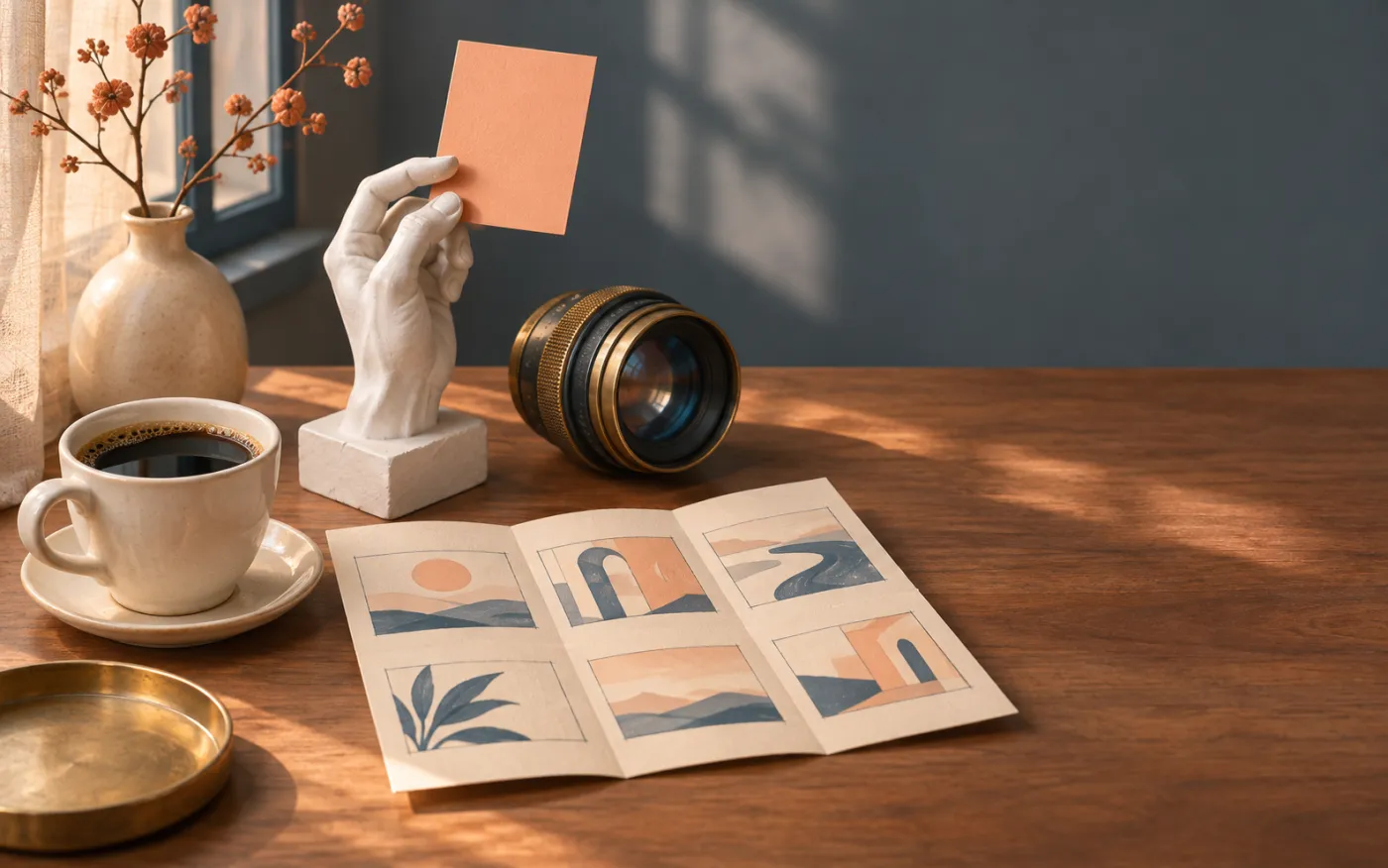
Prompt from the ideaEditorial still life on a warm wooden desk: a small white plaster hand holding a peach color swatch, a vintage brass camera lens, a folded paper storyboard with abstract thumbnail sketches, and a ceramic coffee cup. Soft morning window light from the left, muted peach, cream, ink-blue and brass palette, shallow depth of field, premium design magazine photography, 16:10 composition.
More words are not automatically better. The prompt should give the model a clear scene and a visual direction without competing instructions.
What or who is in the image, what they are doing, and where the scene takes place.
Framing, angle, depth, time of day, light direction, contrast, and the visual hierarchy.
Dominant colors, surface qualities, and the visual language that makes the image feel like one coherent choice.
Start with the scene, not with a pile of style words. Add detail in the order that changes the image most.
Write one or two sentences about the subject, setting, and action. Include the mood only after the scene is clear.
Select the model, detail level, and visual areas you want the prompt to capture. Keep the brief focused.
Remove repeated phrases, check anything that was invented, and add the specific intent only you know.
Use it at the point where a concept needs to become a visual brief someone can test.
Turn “a calm product photo for a skincare launch” into a prompt with a clear surface, light, palette, and camera direction.
Paste a prompt that feels vague or crowded and give the tool a cleaner direction to rewrite around.
Use the same key phrases across a set of images to keep color, materials, light, and composition aligned.
One starts with words. The other starts with a visual reference. Choose the workflow that matches the material you already have.
| Question | Image Prompt Generator | Image to Prompt |
|---|---|---|
| Starting point | A written idea or an existing prompt. | An uploaded reference image. |
| Main job | Expand and structure the idea in words. | Describe the visual evidence already in an image. |
| Best for | Early concepts, art direction, and prompt revisions. | Recreating or adapting a reference image. |
| Where to start | Stay here and describe the idea. | Open Image to Prompt. |
Start with an image, a photograph, or a plain description depending on what you already have.
Starting without an image, improving a rough prompt, and getting a more predictable result.
Describe the scene, choose your visual priorities, and leave with editable prompt text.
Write an image prompt