Sign in to your account
Use an email verification code to access your account securely.
By continuing, you agree to our Terms of Service and Privacy Policy.
A video idea, shaped for a 16:9 frame
Turn a video idea into an editable prompt for a 16:9 thumbnail image. Describe the subject, reaction, background, light, and title space, then refine the direction.
Thumbnail direction ready
Prompt ready - take it straight into the image generator.
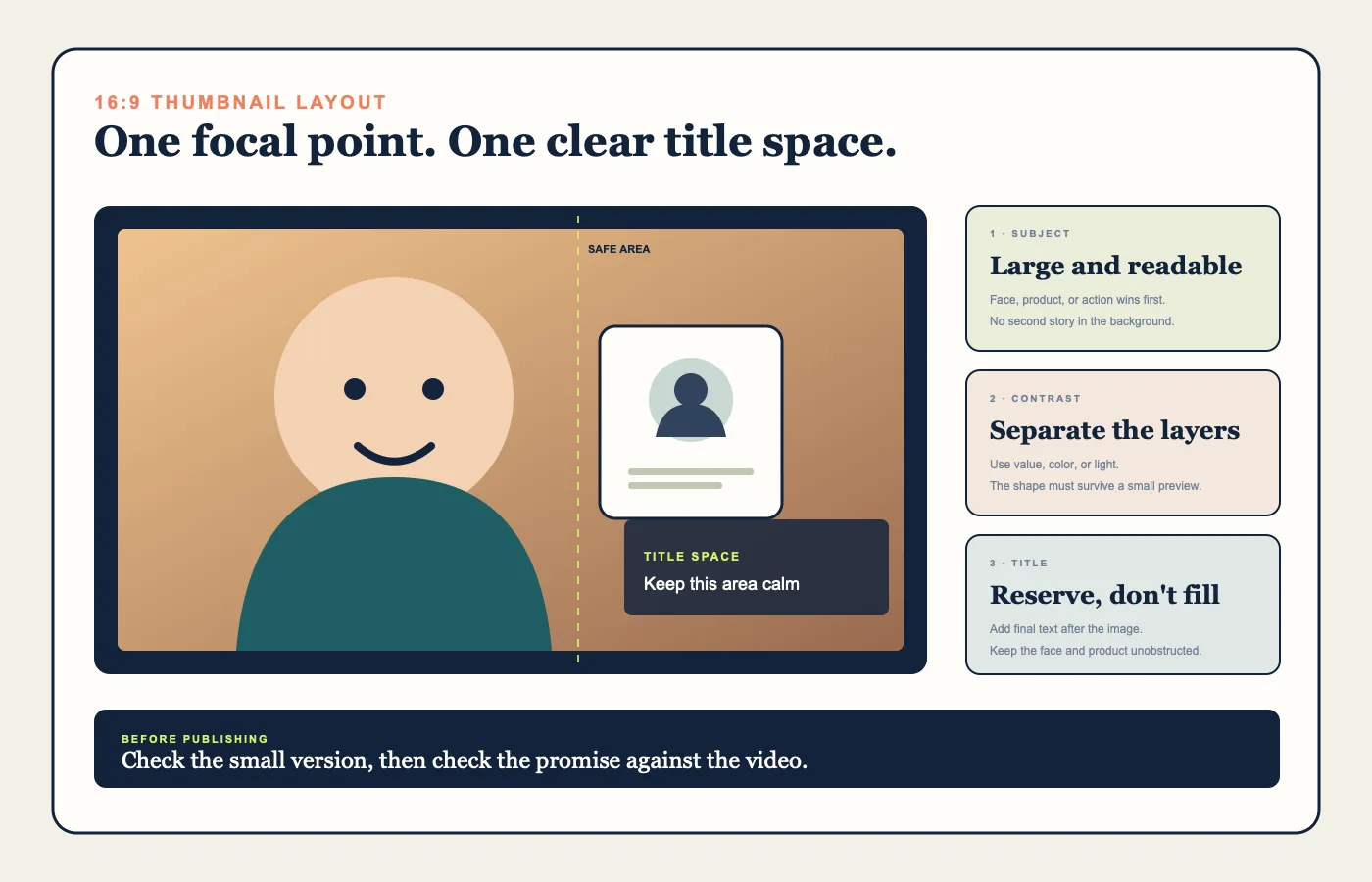
Designed for the small screen
A thumbnail is not a miniature poster with room for every detail. It is a quick visual decision on a crowded page. The prompt should choose one subject, one emotional read, and one clear area of contrast, then leave space for the title that will be added later.
This page writes the image direction, not the final thumbnail file. You still need to set the title, check the platform’s current size guidance, and confirm the result is not misleading about the video.
It turns a video idea into a written brief for a thumbnail image, with the composition and constraints already named.
A normal image prompt describes a picture. A thumbnail prompt has an extra job: it has to communicate a reason to click while staying honest about the video. That means the prompt needs a clear focal subject, a readable expression or action, a background that does not compete, and enough contrast to survive at a small size.
The generator uses your description to name those decisions. Instead of “a cool thumbnail for my video,” the result can describe a person, object, or scene, the camera distance, the direction of light, the dominant colors, and where the frame should stay quiet for a title.
It is especially useful when you already know the topic but keep making the same generic composition. A written direction forces you to choose the one thing the viewer should notice first. That choice is more important than a long list of style adjectives.
The frame has to work without the title, then work again when the title is added.
A face, product, or action should own the frame. Supporting objects stay secondary and do not create a second story.
Separate the subject from the background with value, color, or light so the shape still reads when the image is small.
Leave a calm area for the overlay instead of filling every corner with detail. The image should still make sense if the title moves.
Write the video promise first. Then translate it into one visible moment that a viewer can understand instantly.
Name the topic, the audience, and the change or question the video answers. Keep the promise accurate to the content.
Describe one subject, one action or expression, the setting, the camera distance, and the light. Add the title area only after the scene is clear.
Check the prompt for misleading claims, extra subjects, and details that will vanish at small size. Copy it only after the scene reads clearly.
The brief is ordinary on purpose. Most videos do not need a dramatic scene; they need a clear visual promise.
“A beginner photography tutorial about taking portraits in harsh midday sun.”
The viewer should see the practical situation, not a generic camera. A photographer with a reflector, a model in bright outdoor light, and a clean title area communicate the tutorial faster than a pile of gear. The expression can be focused or slightly surprised, but it should not promise a result the video does not teach.
Editable direction
YouTube thumbnail for a beginner portrait photography tutorial about harsh midday sun. Medium close-up of a young photographer holding a small silver reflector beside a seated model outdoors, both in simple summer clothes, strong side light creating crisp shadows, textured pale concrete wall background, teal shirt against warm skin tones, focused expression, shallow depth of field, clean negative space on the right for a short title, bold natural contrast, realistic photography, 16:9 composition.
A thumbnail is often seen at a fraction of its original size. Detail is less important than silhouette and hierarchy.
The prompt is only the first draft. The useful test is whether the finished frame communicates in context.
Put the image beside other thumbnails at the size viewers will see. Can you tell what the video is about without reading the title? Does the subject still have a clear shape? Does the title compete with the face or the product? If the answer is no, simplify the scene before adding more effects.
Also compare the thumbnail with the actual video. A dramatic expression or object that never appears can win a click and lose trust. The strongest thumbnail is specific, readable, and honest about what happens after the click.
It writes a direction for the image. It does not publish a thumbnail or promise a click-through rate.
This page does not create the final image, add a legible title, resize the file to the platform’s current requirements, or check whether a face or logo is allowed in a particular context. It also cannot know which thumbnail will perform best. Those decisions depend on the video, the audience, and the platform.
For a general image idea, use the Image Prompt Generator. For several reference images at once, try Batch Image to Prompt. For a single reference image, start with Image to Prompt.
What the prompt covers, how to use it, and where the final checks belong.
Name the promise, choose one visible moment, and leave with an editable 16:9 prompt.
Write a thumbnail prompt