Sign in to your account
Use an email verification code to access your account securely.
By continuing, you agree to our Terms of Service and Privacy Policy.
A brand brief, turned into a visual direction
Turn a short brand brief into a concrete logo prompt. Describe the name, audience, symbol idea, type, and palette, then edit the result before handing it to an image tool.
Direction ready
Prompt ready - take it straight into the image generator.
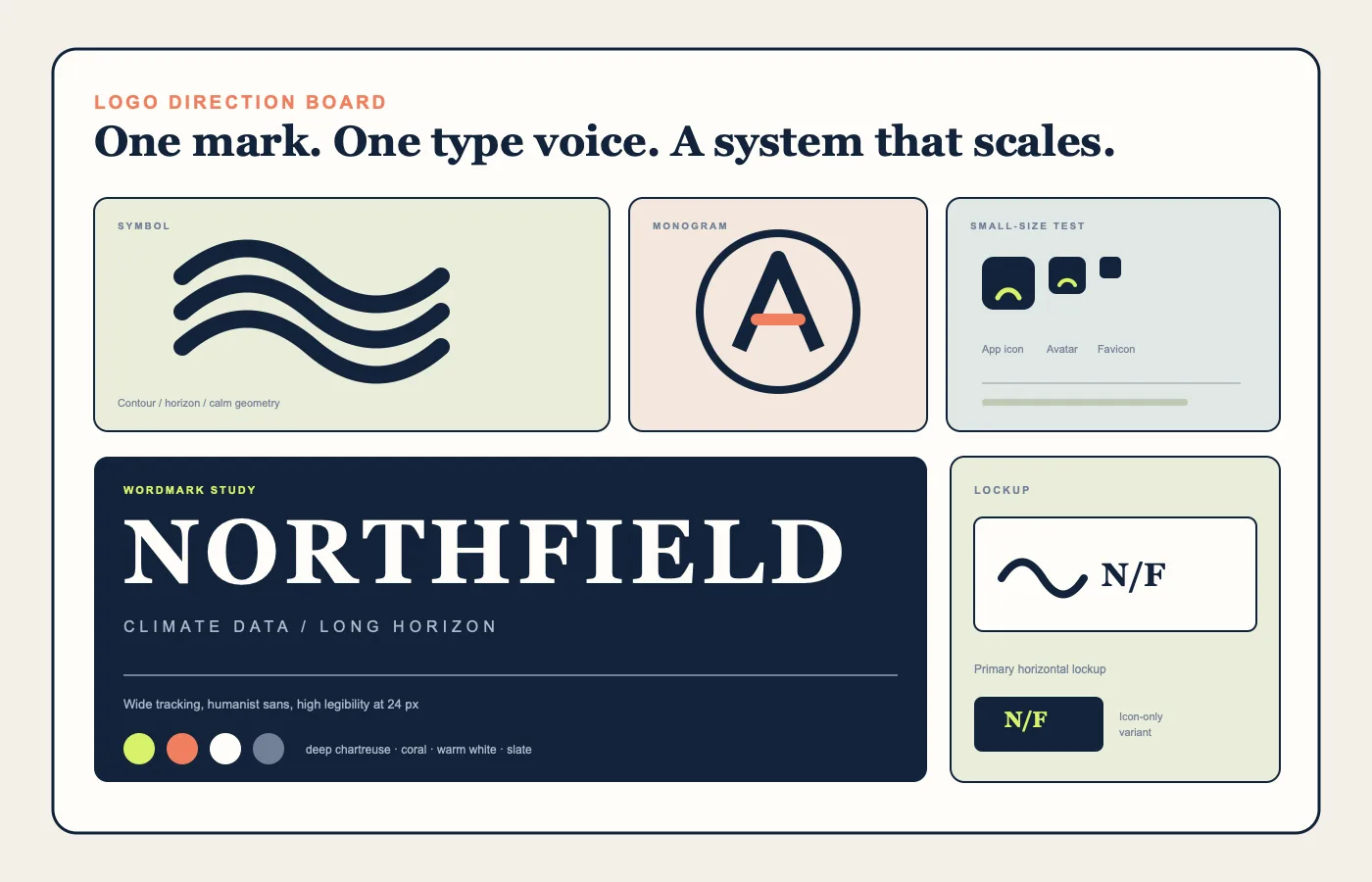
What the prompt is for
A logo prompt is not a magic logo maker. It is a written brief that names the symbol, typography, color, geometry, and usage constraints clearly enough to explore a concept. The result can be a useful starting point for a designer, a moodboard, or an image model that accepts text prompts.
This page is deliberately text-first. You do not upload a competitor’s logo to copy, and the tool does not pretend to clear trademarks. It helps you state your own intent, then gives you an editable prompt to review.
It turns a plain-language brand brief into a prompt that describes a logo concept in visual terms.
Most image tools respond better to a specific visual brief than to “make me a logo.” They need to know whether the mark is geometric or organic, whether the brand name is the main element, what kind of lettering belongs with it, and how the design should behave at small sizes. A logo prompt generator organizes those decisions into a single direction.
The output is still text. It might describe a simple symbol above a wordmark, a monogram inside a circle, or a standalone lettermark. It may specify a limited palette, flat vector shapes, generous negative space, and a version that still reads as a 32-pixel favicon. Those are design constraints, not guarantees that the first image will be usable.
A logo has to survive a business card, a browser tab, a social avatar, and a one-color print. The prompt should mention the constraints that matter before it adds style words.
State the exact name and whether the mark should be a monogram, pictogram, abstract shape, or wordmark with no separate symbol.
Describe the lettering family and the shapes: sharp or rounded, dense or open, symmetrical or deliberately off-balance.
Give a small palette, background, and the sizes or surfaces the mark must work on, including a one-color version.
Start with the business, not with a style you saw somewhere else. The visual direction should follow the job the logo has to do.
Write the exact name, what the business does, and who needs to recognize it. Add any name length or pronunciation constraint.
Pick a symbol, monogram, or wordmark approach. One clear idea is stronger than a list of five unrelated metaphors.
Check that the prompt keeps the name, palette, and usage constraints. Remove invented claims before you pass it to a designer or image tool.
The goal is not a paragraph full of adjectives. It is a prompt another person can read and act on.
“A calm logo for a small climate data company called Northfield. It should feel technical but not cold, work as an app icon, and avoid leaf and globe clichés.”
The tool can turn that into a geometric horizon or contour mark, a modern sans-serif wordmark, a deep green and warm white palette, flat vector shapes, and a compact icon lockup. It can also record the constraint: no leaf, no globe, no tiny detail that disappears at favicon size.
Editable direction
Minimal geometric logo for “Northfield,” a climate data company. A single abstract contour mark suggesting a rising horizon, built from three clean bands with equal visual weight. Modern humanist sans-serif wordmark, wide tracking, deep forest green on warm white, flat vector, no gradients, no leaf or globe symbols. Horizontal lockup for the website and a compact square icon version that remains legible at small sizes. Generous negative space, balanced optical alignment, one-color reproduction ready.
Pick one mark type before you write the prompt.
A prompt can start a design conversation. It cannot replace the checks that make a logo safe to use.
This page does not create a final vector logo, generate a brand guideline, check trademark availability, or guarantee originality. It also does not know your legal market, your existing brand system, or whether a symbol already belongs to another company. Those checks belong to a designer and, where needed, a trademark professional.
Image models can produce attractive marks with accidental text, uneven geometry, or details that collapse at small sizes. Use the prompt to explore a direction, then redraw the chosen idea properly in vector software and test it on the real surfaces you need.
If you need a prompt for a general illustration rather than a logo, use the Image Prompt Generator. If you have a reference image and want to describe its visual style, use Image to Prompt. For several references in one pass, try Batch Image to Prompt.
Most weak results come from an unclear brief, not from a missing magic word.
“A leaf, a wave, a camera, and a letter N in a circle” gives the model no hierarchy. Choose one primary mark and one supporting idea at most.
A mark that looks elegant on a poster may become a smudge in a favicon. Ask for a compact icon and a one-color version in the prompt.
“Like a famous tech company” produces imitation, not direction. Describe the qualities you need: geometric, calm, editorial, high contrast, or hand-made.
What the prompt can do, what it cannot decide, and how to get a cleaner starting direction.
Name the mark, type, color, and usage constraints once, then leave with an editable prompt.
Write a logo prompt