How to Turn an Image into a Midjourney or ChatGPT Prompt
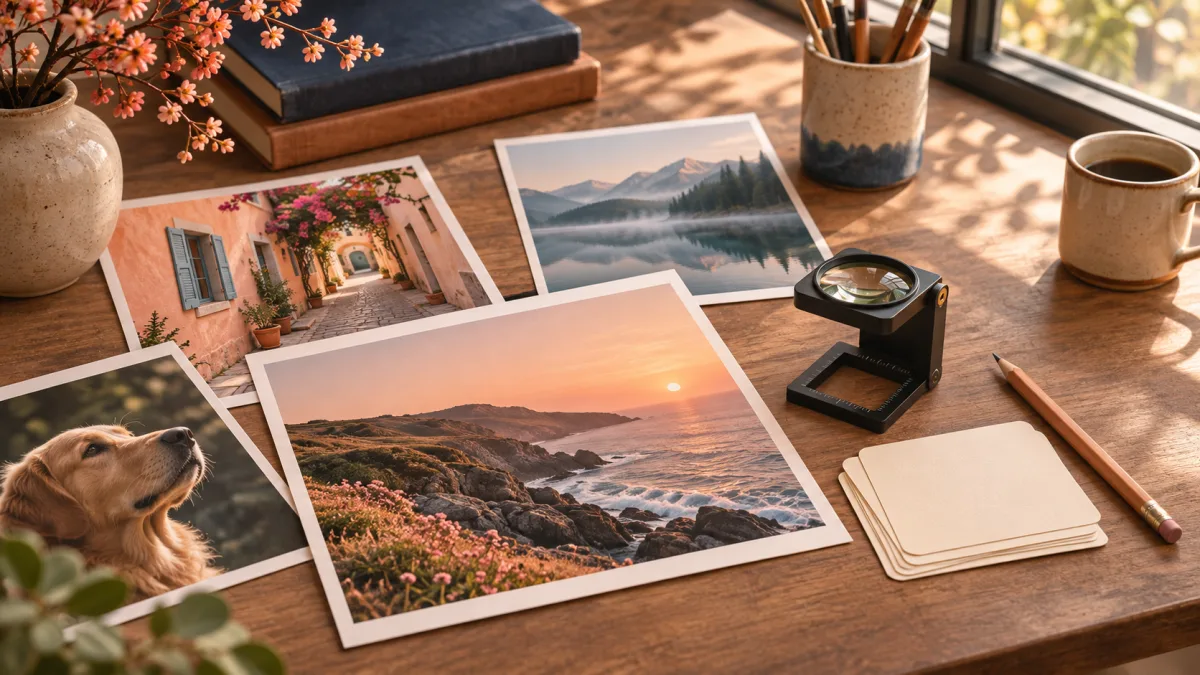
A photo already contains the decisions a prompt is supposed to make: where the camera sits, what the light does, which colors dominate, and what kind of image this is. Turning that photo into a prompt is mostly a translation job. The tricky part is that Midjourney and ChatGPT read the translation differently. One wants a compact visual instruction with parameters. The other can hold a longer brief, explain its choices, and rewrite the result on request.
This guide shows how to get a usable description from an image, then shape it for each destination. It assumes you have the right to use the image and that you are not trying to pass off someone else’s work as your own.
Start with a description, not a guess
Open the Image to Prompt tool or the Photo to Prompt page and upload the reference. The tool reads the visible details and returns a structured draft: subject, framing, light, palette, and medium. That saves you from the usual failure mode of writing “beautiful cinematic photo” and hoping the model fills in the rest.
Edit the draft before you use it. Remove names, addresses, logos, and private details. Replace vague adjectives with visible nouns. If the tool says “warm light,” ask where it comes from: a window on the left, a lamp below the face, a sunset behind the subject. A prompt is only as specific as the observations behind it.
Prepare the image before you describe it
Crop to the part that matters. A screenshot with browser chrome, a hand holding the phone, or a cluttered edge gives the model details you did not intend to ask for. If the subject is small in the frame, crop closer before uploading. If the image is dark, raise the exposure a little; a description of shadow detail is more reliable when you can actually see the shadow.
Check the resolution. A 400-pixel thumbnail can still work as a mood reference, but the description will be vague because the image is vague. Use the largest version you have. If the image contains a face or a private space, decide whether you need to blur or crop it before the file leaves your device; the tool only needs the visual information you are willing to share.
Write down what you know and what you are guessing. “The light comes from the left” is an observation. “It is late afternoon” is an inference. Both can go into a prompt, but only the first should be treated as fact when you compare results.
What Midjourney needs from an image prompt
Midjourney treats an image as a visual reference, not a file to copy. In Discord, the image URL goes at the start of the prompt, followed by your text. In the web interface, you can upload the image and use it as an image prompt. Either way, the text still has to describe what you want; the image alone is a weak instruction.
Keep the text prompt short and visual. Name the subject, the action or pose, the framing, the light, and one style decision. Put the parameters at the end, after the description. If you use more than one reference image, remember that order matters; the first image carries more weight than the last.
Do not expect an exact reproduction. Midjourney will interpret the reference through its own model. If the face, logo, or product shape has to be exact, an image prompt is the wrong tool; use an editor or a composite.
What ChatGPT needs
ChatGPT can look at the image and discuss it. That makes it better for the reasoning part: what is actually in the frame, which details are load-bearing, and which parts are guesses. Upload the image and ask for a prompt in labeled sections. Then ask for two versions with different assumptions, and ask what is missing from the description.
A useful instruction looks like this: “Describe this image as a reusable image-generation prompt. Separate subject, framing, light, palette, medium, and one constraint. Do not invent details you cannot see. Then give a second version that changes only the lighting.” That gives you a draft you can edit instead of a paragraph you have to rewrite from scratch.
ChatGPT is also useful after a generation. Upload the result and the reference side by side and ask which decisions changed. That comparison is often more valuable than another prompt rewrite.
One photo, two prompts
| Element | Midjourney version | ChatGPT version |
|---|---|---|
| Subject | Short noun phrase, first in the prompt | A sentence with posture, clothing, and action |
| Framing | One camera phrase, such as “medium shot from chest height” | A short paragraph explaining what the crop includes and excludes |
| Light | Direction, quality, and time of day in a few words | The same facts, plus why they matter to the mood |
| Palette | Two or three dominant colors | Colors with a note on which one leads |
| Medium | One style decision | One style decision plus what to avoid |
| Constraint | --no text, logo | A plain sentence: “No text, no logos, no extra people” |
A worked example
Suppose the reference is a woman in a gray knit sweater at a wooden table, turned toward a window on the left, with soft daylight and a plain off-white wall. The description is solid. The two prompts should not be identical.
For Midjourney, compress it and add the parameters:
[image URL] woman in a gray knit sweater at a wooden table, three-quarter view toward a window on the left, soft window light, plain off-white wall, shallow depth of field, editorial portrait --ar 4:5 --style raw --stylize 100For ChatGPT, keep the structure but ask for options:
Turn this image into a reusable prompt. Use these sections: subject, framing, light, palette, medium, constraint. Then give two variants: one photorealistic, one soft illustration. Keep the same pose and window light. Do not add objects that are not in the photo.The Midjourney line is a generation instruction. The ChatGPT block is a brief for a writer. Pasting the second into Midjourney usually produces a rambling prompt with too many competing style words. Pasting the first into ChatGPT wastes the model’s ability to reason about the image.
Parameters worth knowing
| Parameter | What it changes | When to use it |
|---|---|---|
--ar | Aspect ratio | Match the final placement before generating, not after |
--iw | How strongly the image prompt influences the result | Raise it when likeness matters; lower it when you want the text to lead |
--stylize | How much automatic styling Midjourney applies | Lower for a literal reference, higher for a more designed look |
--style raw | Less automatic beautification | Product, documentary, and reference-driven work |
--no | Removes listed elements | Text, logos, extra people, watermarks |
These are Midjourney parameters. Do not paste them into ChatGPT and expect them to mean anything. If you ask ChatGPT for a Midjourney prompt, ask it to put the parameters at the end and then check the syntax yourself.
A note on style names
Style names are shortcuts, and they are risky. A photographer’s name or a studio’s look may pull the model toward a specific body of work you have no right to reproduce. A generic description usually works better anyway: “soft north-facing window light, muted earth palette, editorial interior photography” tells the model what to do without borrowing someone’s identity. Keep the reference image as the visual anchor and let the words describe the decisions, not the author.
Five mistakes that waste generations
- Pasting a paragraph into Midjourney. The model weights early tokens heavily; a long preamble buries the subject.
- Expecting an exact copy. An image prompt is a reference. Exact faces and logos need an editor.
- Changing five variables at once. You get a different image and no information about which change helped.
- Leading with style words. “Cinematic, 8K, masterpiece” says nothing about the subject or the frame.
- Skipping the constraint. If the output keeps adding text or extra people, name those things in the negative instruction.
FAQ
Can Midjourney copy an image exactly?
No. It uses the image as a reference and generates a new result. If exact reproduction matters, use an editing workflow or composite the original asset.
h4>Do I need an image URL for Midjourney?In Discord, the image prompt is normally supplied as a URL at the start of the prompt. The web interface also lets you upload and reference an image. Follow the current interface rather than an old tutorial.
Which tool is better for ideation?
Midjourney is built for visual exploration. ChatGPT is better for describing, comparing, and rewriting the brief. Use each for the part it does well.
Can ChatGPT write Midjourney parameters?
Yes, but verify them. Ask for the parameters on a separate line and check the syntax before you paste the prompt into Midjourney.
Do the same prompts work on other models?
The decisions carry over; the syntax does not. Subject, framing, light, and palette are portable. Model-specific parameters and weight ranges are not.
Turn one reference into a reusable prompt
Upload the image to the Image to Prompt tool, edit the description until every clause is something you can see, then write the two versions. The image prompt guide covers the structure in more depth, and the reverse prompt engineering explainer covers what can and cannot be recovered from an image.