AI Prompt the Priyesh: What the Search Means and How to Use It
“AI prompt the Priyesh” reads like a search phrase built around viral AI photo-editing prompts associated with a creator or trend. It does not, by itself, prove that there is an official product called Priyesh, an approved prompt library, or a single correct template. The useful question is simpler: how do you turn that search into an original edit prompt that works on a photo you are allowed to use?
This page treats the phrase as a topic, not a product endorsement. The examples below are original prompt patterns. They do not reproduce a creator’s prompts or images, and they do not promise an identical result across Gemini, ChatGPT, or any other model.
What the search phrase probably means
Searches often compress a person, a trend, and a desired result into a few words. Someone may be looking for a viral portrait style, a prompt format seen in a short video, or a way to ask an image model for a controlled edit. The phrase can therefore point to several intents at once. A good article or prompt should name the actual task instead of repeating the phrase in every sentence.
Start by deciding what you want to change. “Make it viral” is not an editing instruction. “Keep the person’s face and pose, replace the flat wall with a warm studio backdrop, and preserve the original crop” gives a model something it can evaluate. If the request is about a trend, add the visual ingredients you can observe: camera distance, light direction, palette, clothing, and background depth.
A six-part prompt you can adapt
- State the source. Say that the uploaded image is the reference and identify the permitted edit.
- Lock the subject. Name the person, object, pose, crop, and features that must remain unchanged.
- Describe the new direction. Specify the setting, lighting, color treatment, material, or period you want.
- Set the camera. Include portrait or landscape framing, distance, lens feel, and the amount of background.
- Add a keep-list. Say what must not drift: face identity, hand count, logo ownership, product shape, or text position.
- Define the check. Ask for a clean result with no extra people, invented logos, unreadable text, or watermark.
A reusable original prompt can look like this:
Use my uploaded photo as the reference. Keep the subject’s face, expression, pose, clothing silhouette, and crop. Change only the background to a quiet evening street with soft amber window light. Keep the subject sharp and the background slightly out of focus. Preserve natural skin texture and realistic proportions. Do not add people, logos, readable text, or extra fingers. Return one portrait-oriented edit.The fixed part is the keep-list. The creative part is the setting. This separation makes the result easier to compare and easier to revise.
Ten original style directions
Use one direction at a time. Stacking ten styles into one request usually gives you a muddy compromise. A soft editorial portrait uses a neutral wall, large window light, gentle shadows, and restrained color. A night-market direction uses deep blue ambient light, small warm signs without readable lettering, and wet pavement reflections. A paper collage uses torn edges, visible fibers, and flat layered shapes. A quiet product desk uses pale wood, side light, clean negative space, and a realistic contact shadow.
You can also try a retro flash treatment, a bright travel postcard with no invented landmark labels, a monochrome study, a studio color block with one saturated backdrop, a handmade poster texture without fake event text, or a minimal catalog frame with an exact product silhouette. Each direction changes one visual decision. That makes failures explainable.
How to adapt the request for Gemini or ChatGPT
Conversational tools are useful when you want to refine an edit in stages. Upload the authorized reference, ask the model to list what it can actually see, then give the edit. A second pass can correct one problem without rewriting everything. Try: “Keep the last result. Change only the light from cool to warm and leave the crop, face, and background geometry unchanged.”
Do not assume the interface has the same controls every day. Model names, image limits, aspect ratios, and editing behavior belong to the live product page. If the tool does not expose a control, describe the desired outcome in the prompt and inspect the result rather than claiming the control exists.
Review before you share
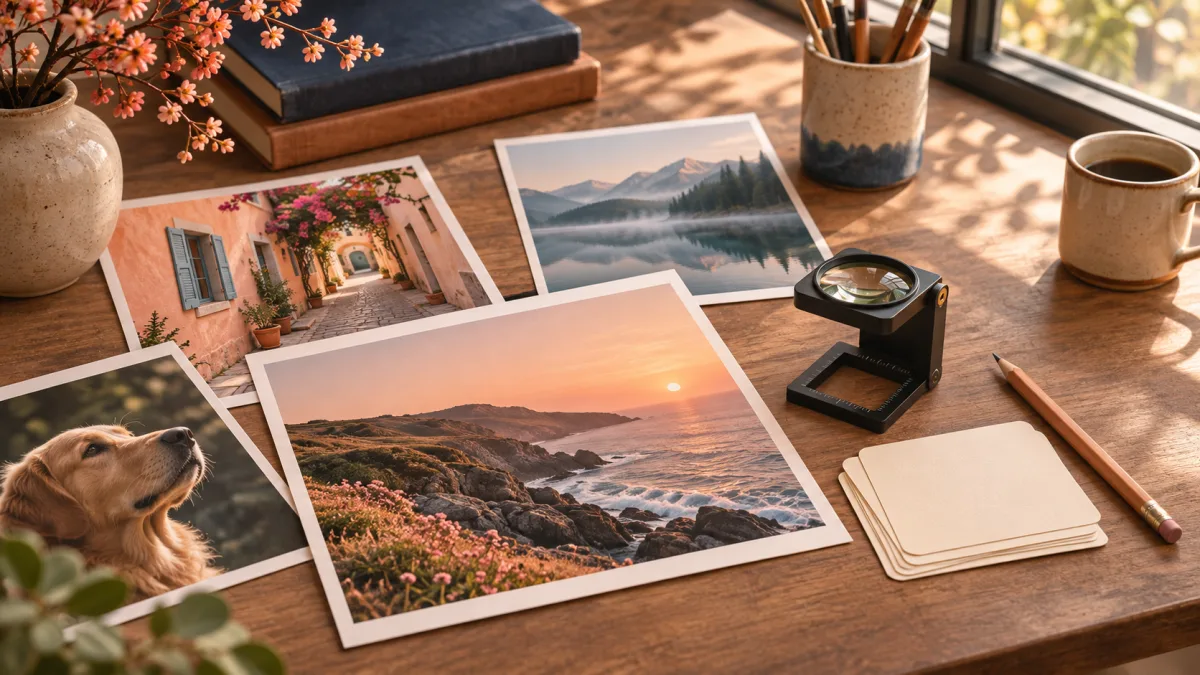
Open the output at full size. Check the eyes, hands, edges, repeated patterns, shadows, and any text. For a product photo, compare the silhouette and label placement with the source. For a portrait, check identity and skin texture. If something important moved, make a smaller follow-up request with one change only.
For a starting point, use PixelToPrompt to turn an image into an editable description, then compare the result with the image prompt guide for ChatGPT. These are prompt-writing aids, not proof that a generated edit is accurate.
Use the trend without copying the creator
Keep the transformation you like, but make the scene yours. Change the subject or location, write a fresh visual brief, and use your own reference image. If a creator’s exact wording, image, or distinctive composition is the thing you want, ask for permission or choose a different direction. Originality here is not a legal slogan; it also makes the prompt easier to control because you know which decisions matter.
Quick answers
Is AI Prompt the Priyesh an official product?
The phrase is not enough to verify an official product. Treat it as a search topic unless the creator or company links to a current official page.
Can I copy a viral prompt?
Use the idea as a starting point, but write your own wording and use authorized images. Do not copy a creator’s full prompt or assets without permission.
Why did the model change the face?
Face preservation is not guaranteed. Strengthen the keep-list, use a suitable reference workflow, and inspect the output before sharing.
Can I put words inside the generated image?
You can ask, but readable typography is a common failure point. Add text in a design editor when exact spelling and layout matter.
What is the safest first test?
Use a non-sensitive photo you own, request one background change, and compare the result against the source at full size.
A practical test loop
Run the edit as a small experiment. Keep the original on the left and the generated result on the right, then write down one thing that improved and one thing that drifted. If the face is stable but the background is wrong, keep the face instruction and change only the background. If the background is good but the crop changed, add a crop constraint without adding a new style. This kind of one-variable loop is slower than throwing ten adjectives into one prompt, but it gives you a usable next move.
For repeated work, make a short prompt card with four fields: reference image, must-keep details, one permitted change, and review checks. A card also helps a team member reproduce the edit without seeing a private conversation. Remove personal names, addresses, and hidden metadata before sharing the card.
What not to infer from a viral result
A polished example does not prove the prompt alone created it. The creator may have used several generations, manual retouching, a reference image, or a separate layout tool. Do not promise that a short sentence will reproduce the same face, typography, or lighting. Describe the process you can verify, show the limits, and leave room for a manual finishing pass when the result is close but not exact.